

Për të mësuar rreth të kuptuarit e videos, shiko udhëzuesin Të kuptuarit e videos.
Veo 3.1 është një model për gjenerimin e videove 8-sekondëshe (720p, 1080p ose 4k) me audio të gjeneruar në mënyrë të integruar. Mund të qasesh te ky model në mënyrë programatike duke përdorur Gemini API. Për të mësuar më shumë rreth variantëve të disponueshëm të modelit Veo, shiko seksionin Versionet e modelit.
Veo 3.1 shkëlqen në një gamë të gjerë stilesh vizuale dhe kinematografike dhe prezanton disa aftësi të reja:
- Videot në modalitetin e portretit: Zgjidh mes videove në modalitetin e peizazhit (
16:9) dhe portretit (9:16). - Zgjatja e videos: Zgjat videot që janë gjeneruar më parë duke përdorur Veo.
- Gjenerimi specifik i kuadrove: Gjenero një video duke specifikuar kuadrot e parë dhe të fundit.
- Udhëzimi i bazuar në imazh: Përdor deri në tre imazhe reference për të udhëzuar përmbajtjen e videos sate të gjeneruar.
Për më shumë informacione rreth shkrimit të kërkesave efektive me tekst për gjenerimin e videove, shiko udhëzuesin e kërkesave të Veo
Gjenerimi i videos nga teksti
Shembujt e mëposhtëm tregojnë se si mund të gjenerosh një video me dialog, realizëm kinematografik ose animacion krijues:
Dialogu dhe efektet zanore
Python
import time
from google import genai
from google.genai import types

client = genai.Client()

prompt = """A close up of two people staring at a cryptic drawing on a wall, torchlight flickering.
A man murmurs, 'This must be it. That's the secret code.' The woman looks at him and whispering excitedly, 'What did you find?'"""

operation = client.models.generate_videos(
    model="veo-3.1-generate-preview",
    prompt=prompt,
)

# Poll the operation status until the video is ready.
while not operation.done:
    print("Waiting for video generation to complete...")
    time.sleep(10)
    operation = client.operations.get(operation)

# Download the generated video.
generated_video = operation.response.generated_videos[0]
client.files.download(file=generated_video.video, destination="dialogue_example.mp4")
print("Generated video saved to dialogue_example.mp4")
JavaScript
import { GoogleGenAI } from "@google/genai";

const ai = new GoogleGenAI({});

const prompt = `A close up of two people staring at a cryptic drawing on a wall, torchlight flickering.
A man murmurs, 'This must be it. That's the secret code.' The woman looks at him and whispering excitedly, 'What did you find?'`;

let operation = await ai.models.generateVideos({
    model: "veo-3.1-generate-preview",
    prompt: prompt,
});

// Poll the operation status until the video is ready.
while (!operation.done) {
    console.log("Waiting for video generation to complete...")
    await new Promise((resolve) => setTimeout(resolve, 10000));
    operation = await ai.operations.getVideosOperation({
        operation: operation,
    });
}

// Download the generated video.
ai.files.download({
    file: operation.response.generatedVideos[0].video,
    downloadPath: "dialogue_example.mp4",
});
console.log(`Generated video saved to dialogue_example.mp4`);
Go
package main

import (
    "context"
    "log"
    "os"
    "time"

    "google.golang.org/genai"
)

func main() {
    ctx := context.Background()
    client, err := genai.NewClient(ctx, nil)
    if err != nil {
        log.Fatal(err)
    }

    prompt := `A close up of two people staring at a cryptic drawing on a wall, torchlight flickering.
    A man murmurs, 'This must be it. That's the secret code.' The woman looks at him and whispering excitedly, 'What did you find?'`

    operation, _ := client.Models.GenerateVideos(
        ctx,
        "veo-3.1-generate-preview",
        prompt,
        nil,
        nil,
    )

    // Poll the operation status until the video is ready.
    for !operation.Done {
    log.Println("Waiting for video generation to complete...")
        time.Sleep(10 * time.Second)
        operation, _ = client.Operations.GetVideosOperation(ctx, operation, nil)
    }

    // Download the generated video.
    video := operation.Response.GeneratedVideos[0]
    client.Files.Download(ctx, video.Video, nil)
    fname := "dialogue_example.mp4"
    _ = os.WriteFile(fname, video.Video.VideoBytes, 0644)
    log.Printf("Generated video saved to %s\n", fname)
}
Java
import com.google.genai.Client;
import com.google.genai.types.GenerateVideosOperation;
import com.google.genai.types.GeneratedVideo;

Client client = new Client();

String prompt =
    "A close up of two people staring at a cryptic drawing on a wall, torchlight flickering.\n"
        + "A man murmurs, 'This must be it. That's the secret code.' The woman looks at him and whispering excitedly, 'What did you find?'";

GenerateVideosOperation operation =
    client.models.generateVideos("veo-3.1-generate-preview", prompt, null, null);

// Poll the operation status until the video is ready.
while (!operation.done().orElse(false)) {
  System.out.println("Waiting for video generation to complete...");
  Thread.sleep(10000);
  operation = client.operations.getVideosOperation(operation, null);
}

// Download the generated video.
GeneratedVideo generatedVideo = operation.response().get().generatedVideos().get().get(0);
client.files.download(generatedVideo, "dialogue_example.mp4", null);
System.out.println("Generated video saved to dialogue_example.mp4");
QETËSI
# Note: This script uses jq to parse the JSON response.
# GEMINI API Base URL
BASE_URL="https://generativelanguage.googleapis.com/v1beta"

# Send request to generate video and capture the operation name into a variable.
operation_name=$(curl -s "${BASE_URL}/models/veo-3.1-generate-preview:predictLongRunning" \
  -H "x-goog-api-key: $GEMINI_API_KEY" \
  -H "Content-Type: application/json" \
  -X "POST" \
  -d '{
    "instances": [{
        "prompt": "A close up of two people staring at a cryptic drawing on a wall, torchlight flickering. A man murmurs, \"This must be it. That'\''s the secret code.\" The woman looks at him and whispering excitedly, \"What did you find?\""
      }
    ]
  }' | jq -r .name)

# Poll the operation status until the video is ready
while true; do
  # Get the full JSON status and store it in a variable.
  status_response=$(curl -s -H "x-goog-api-key: $GEMINI_API_KEY" "${BASE_URL}/${operation_name}")

  # Check the "done" field from the JSON stored in the variable.
  is_done=$(echo "${status_response}" | jq .done)

  if [ "${is_done}" = "true" ]; then
    # Extract the download URI from the final response.
    video_uri=$(echo "${status_response}" | jq -r '.response.generateVideoResponse.generatedSamples[0].video.uri')
    echo "Downloading video from: ${video_uri}"

    # Download the video using the URI and API key and follow redirects.
    curl -L -o dialogue_example.mp4 -H "x-goog-api-key: $GEMINI_API_KEY" "${video_uri}"
    break
  fi
  # Wait for 5 seconds before checking again.
  sleep 10
done
Realizëm kinematografik
Python
import time
from google import genai
from google.genai import types

client = genai.Client()

prompt = """Drone shot following a classic red convertible driven by a man along a winding coastal road at sunset, waves crashing against the rocks below.
The convertible accelerates fast and the engine roars loudly."""

operation = client.models.generate_videos(
    model="veo-3.1-generate-preview",
    prompt=prompt,
)

# Poll the operation status until the video is ready.
while not operation.done:
    print("Waiting for video generation to complete...")
    time.sleep(10)
    operation = client.operations.get(operation)

# Download the generated video.
generated_video = operation.response.generated_videos[0]
client.files.download(file=generated_video.video, destination="realism_example.mp4")
print("Generated video saved to realism_example.mp4")
JavaScript
import { GoogleGenAI } from "@google/genai";

const ai = new GoogleGenAI({});

const prompt = `Drone shot following a classic red convertible driven by a man along a winding coastal road at sunset, waves crashing against the rocks below.
The convertible accelerates fast and the engine roars loudly.`;

let operation = await ai.models.generateVideos({
    model: "veo-3.1-generate-preview",
    prompt: prompt,
});

// Poll the operation status until the video is ready.
while (!operation.done) {
    console.log("Waiting for video generation to complete...")
    await new Promise((resolve) => setTimeout(resolve, 10000));
    operation = await ai.operations.getVideosOperation({
        operation: operation,
    });
}

// Download the generated video.
ai.files.download({
    file: operation.response.generatedVideos[0].video,
    downloadPath: "realism_example.mp4",
});
console.log(`Generated video saved to realism_example.mp4`);
Go
package main

import (
    "context"
    "log"
    "os"
    "time"

    "google.golang.org/genai"
)

func main() {
    ctx := context.Background()
    client, err := genai.NewClient(ctx, nil)
    if err != nil {
        log.Fatal(err)
    }

    prompt := `Drone shot following a classic red convertible driven by a man along a winding coastal road at sunset, waves crashing against the rocks below.
  The convertible accelerates fast and the engine roars loudly.`

    operation, _ := client.Models.GenerateVideos(
        ctx,
        "veo-3.1-generate-preview",
        prompt,
        nil,
        nil,
    )

    // Poll the operation status until the video is ready.
    for !operation.Done {
    log.Println("Waiting for video generation to complete...")
        time.Sleep(10 * time.Second)
        operation, _ = client.Operations.GetVideosOperation(ctx, operation, nil)
    }

    // Download the generated video.
    video := operation.Response.GeneratedVideos[0]
    client.Files.Download(ctx, video.Video, nil)
    fname := "realism_example.mp4"
    _ = os.WriteFile(fname, video.Video.VideoBytes, 0644)
    log.Printf("Generated video saved to %s\n", fname)
}
Java
import com.google.genai.Client;
import com.google.genai.types.GenerateVideosOperation;
import com.google.genai.types.GeneratedVideo;

Client client = new Client();

String prompt =
    "Drone shot following a classic red convertible driven by a man along a winding coastal road at sunset, waves crashing against the rocks below.\n"
        + "The convertible accelerates fast and the engine roars loudly.";

GenerateVideosOperation operation =
    client.models.generateVideos("veo-3.1-generate-preview", prompt, null, null);

// Poll the operation status until the video is ready.
while (!operation.done().orElse(false)) {
  System.out.println("Waiting for video generation to complete...");
  Thread.sleep(10000);
  operation = client.operations.getVideosOperation(operation, null);
}

// Download the generated video.
GeneratedVideo generatedVideo = operation.response().get().generatedVideos().get().get(0);
client.files.download(generatedVideo, "realism_example.mp4", null);
System.out.println("Generated video saved to realism_example.mp4");
QETËSI
# Note: This script uses jq to parse the JSON response.
# GEMINI API Base URL
BASE_URL="https://generativelanguage.googleapis.com/v1beta"

# Send request to generate video and capture the operation name into a variable.
operation_name=$(curl -s "${BASE_URL}/models/veo-3.1-generate-preview:predictLongRunning" \
  -H "x-goog-api-key: $GEMINI_API_KEY" \
  -H "Content-Type: application/json" \
  -X "POST" \
  -d '{
    "instances": [{
        "prompt": "Drone shot following a classic red convertible driven by a man along a winding coastal road at sunset, waves crashing against the rocks below. The convertible accelerates fast and the engine roars loudly."
      }
    ]
  }' | jq -r .name)

# Poll the operation status until the video is ready
while true; do
  # Get the full JSON status and store it in a variable.
  status_response=$(curl -s -H "x-goog-api-key: $GEMINI_API_KEY" "${BASE_URL}/${operation_name}")

  # Check the "done" field from the JSON stored in the variable.
  is_done=$(echo "${status_response}" | jq .done)

  if [ "${is_done}" = "true" ]; then
    # Extract the download URI from the final response.
    video_uri=$(echo "${status_response}" | jq -r '.response.generateVideoResponse.generatedSamples[0].video.uri')
    echo "Downloading video from: ${video_uri}"

    # Download the video using the URI and API key and follow redirects.
    curl -L -o realism_example.mp4 -H "x-goog-api-key: $GEMINI_API_KEY" "${video_uri}"
    break
  fi
  # Wait for 5 seconds before checking again.
  sleep 10
done
Animacion krijues
Python
import time
from google import genai

client = genai.Client()
prompt = "A whimsical stop-motion animation of a tiny robot tending to a garden of glowing mushrooms on a miniature planet."

operation = client.models.generate_videos(
    model="veo-3.1-generate-preview",
    prompt=prompt,
)

# Poll the operation status until the video is ready.
while not operation.done:
    print("Waiting for video generation to complete...")
    time.sleep(10)
    operation = client.operations.get(operation)

# Download the generated video.
generated_video = operation.response.generated_videos[0]
client.files.download(file=generated_video.video, destination="style_example.mp4")
print("Generated video saved to style_example.mp4")
JavaScript
import { GoogleGenAI } from "@google/genai";

const ai = new GoogleGenAI({});

const prompt = "A whimsical stop-motion animation of a tiny robot tending to a garden of glowing mushrooms on a miniature planet.";

let operation = await ai.models.generateVideos({
    model: "veo-3.1-generate-preview",
    prompt: prompt,
});

// Poll the operation status until the video is ready.
while (!operation.done) {
    console.log("Waiting for video generation to complete...")
    await new Promise((resolve) => setTimeout(resolve, 10000));
    operation = await ai.operations.getVideosOperation({
        operation: operation,
    });
}

// Download the generated video.
ai.files.download({
    file: operation.response.generatedVideos[0].video,
    downloadPath: "style_example.mp4",
});
console.log(`Generated video saved to style_example.mp4`);
Go
package main

import (
    "context"
    "log"
    "os"
    "time"

    "google.golang.org/genai"
)

func main() {
    ctx := context.Background()
    client, err := genai.NewClient(ctx, nil)
    if err != nil {
        log.Fatal(err)
    }

    prompt := `A whimsical stop-motion animation of a tiny robot tending to a garden of glowing mushrooms on a miniature planet.`

    operation, _ := client.Models.GenerateVideos(
        ctx,
        "veo-3.1-generate-preview",
        prompt,
        nil,
        nil,
    )

    // Poll the operation status until the video is ready.
    for !operation.Done {
    log.Println("Waiting for video generation to complete...")
        time.Sleep(10 * time.Second)
        operation, _ = client.Operations.GetVideosOperation(ctx, operation, nil)
    }

    // Download the generated video.
    video := operation.Response.GeneratedVideos[0]
    client.Files.Download(ctx, video.Video, nil)
    fname := "style_example.mp4"
    _ = os.WriteFile(fname, video.Video.VideoBytes, 0644)
    log.Printf("Generated video saved to %s\n", fname)
}
Java
import com.google.genai.Client;
import com.google.genai.types.GenerateVideosOperation;
import com.google.genai.types.GeneratedVideo;

Client client = new Client();

String prompt =
    "A whimsical stop-motion animation of a tiny robot tending to a garden of glowing mushrooms on a miniature planet.";

GenerateVideosOperation operation =
    client.models.generateVideos("veo-3.1-generate-preview", prompt, null, null);

// Poll the operation status until the video is ready.
while (!operation.done().orElse(false)) {
  System.out.println("Waiting for video generation to complete...");
  Thread.sleep(10000);
  operation = client.operations.getVideosOperation(operation, null);
}

// Download the generated video.
GeneratedVideo generatedVideo = operation.response().get().generatedVideos().get().get(0);
client.files.download(generatedVideo, "style_example.mp4", null);
System.out.println("Generated video saved to style_example.mp4");
QETËSI
# Note: This script uses jq to parse the JSON response.
# GEMINI API Base URL
BASE_URL="https://generativelanguage.googleapis.com/v1beta"

# Send request to generate video and capture the operation name into a variable.
operation_name=$(curl -s "${BASE_URL}/models/veo-3.1-generate-preview:predictLongRunning" \
  -H "x-goog-api-key: $GEMINI_API_KEY" \
  -H "Content-Type: application/json" \
  -X "POST" \
  -d '{
    "instances": [{
        "prompt": "A whimsical stop-motion animation of a tiny robot tending to a garden of glowing mushrooms on a miniature planet."
      }
    ]
  }' | jq -r .name)

# Poll the operation status until the video is ready
while true; do
  # Get the full JSON status and store it in a variable.
  status_response=$(curl -s -H "x-goog-api-key: $GEMINI_API_KEY" "${BASE_URL}/${operation_name}")

  # Check the "done" field from the JSON stored in the variable.
  is_done=$(echo "${status_response}" | jq .done)

  if [ "${is_done}" = "true" ]; then
    # Extract the download URI from the final response.
    video_uri=$(echo "${status_response}" | jq -r '.response.generateVideoResponse.generatedSamples[0].video.uri')
    echo "Downloading video from: ${video_uri}"

    # Download the video using the URI and API key and follow redirects.
    curl -L -o style_example.mp4 -H "x-goog-api-key: $GEMINI_API_KEY" "${video_uri}"
    break
  fi
  # Wait for 5 seconds before checking again.
  sleep 10
done
Kontrollo raportin e pamjes
Veo 3.1 të lejon të krijosh video në modalitetin e peizazhit (16:9, cilësimi i parazgjedhur) ose të portretit (9:16). Mund t'i tregosh modelit se cilin dëshiron të përdorësh duke përdorur parametrin
aspect_ratio:
Python
import time
from google import genai
from google.genai import types

client = genai.Client()

prompt = """A montage of pizza making: a chef tossing and flattening the floury dough, ladling rich red tomato sauce in a spiral, sprinkling mozzarella cheese and pepperoni, and a final shot of the bubbling golden-brown pizza, upbeat electronic music with a rhythmical beat is playing, high energy professional video."""

operation = client.models.generate_videos(
    model="veo-3.1-generate-preview",
    prompt=prompt,
    config=types.GenerateVideosConfig(
      aspect_ratio="9:16",
    ),
)

# Poll the operation status until the video is ready.
while not operation.done:
    print("Waiting for video generation to complete...")
    time.sleep(10)
    operation = client.operations.get(operation)

# Download the generated video.
generated_video = operation.response.generated_videos[0]
client.files.download(file=generated_video.video, destination="pizza_making.mp4")
print("Generated video saved to pizza_making.mp4")
JavaScript
import { GoogleGenAI } from "@google/genai";

const ai = new GoogleGenAI({});

const prompt = `A montage of pizza making: a chef tossing and flattening the floury dough, ladling rich red tomato sauce in a spiral, sprinkling mozzarella cheese and pepperoni, and a final shot of the bubbling golden-brown pizza, upbeat electronic music with a rhythmical beat is playing, high energy professional video.`;

let operation = await ai.models.generateVideos({
    model: "veo-3.1-generate-preview",
    prompt: prompt,
    config: {
      aspectRatio: "9:16",
    },
});

// Poll the operation status until the video is ready.
while (!operation.done) {
    console.log("Waiting for video generation to complete...")
    await new Promise((resolve) => setTimeout(resolve, 10000));
    operation = await ai.operations.getVideosOperation({
        operation: operation,
    });
}

// Download the generated video.
ai.files.download({
    file: operation.response.generatedVideos[0].video,
    downloadPath: "pizza_making.mp4",
});
console.log(`Generated video saved to pizza_making.mp4`);
Go
package main

import (
    "context"
    "log"
    "os"
    "time"

    "google.golang.org/genai"
)

func main() {
    ctx := context.Background()
    client, err := genai.NewClient(ctx, nil)
    if err != nil {
        log.Fatal(err)
    }

    prompt := `A montage of pizza making: a chef tossing and flattening the floury dough, ladling rich red tomato sauce in a spiral, sprinkling mozzarella cheese and pepperoni, and a final shot of the bubbling golden-brown pizza, upbeat electronic music with a rhythmical beat is playing, high energy professional video.`

  videoConfig := &genai.GenerateVideosConfig{
      AspectRatio: "9:16",
  }

    operation, _ := client.Models.GenerateVideos(
        ctx,
        "veo-3.1-generate-preview",
        prompt,
        nil,
        videoConfig,
    )

    // Poll the operation status until the video is ready.
    for !operation.Done {
    log.Println("Waiting for video generation to complete...")
        time.Sleep(10 * time.Second)
        operation, _ = client.Operations.GetVideosOperation(ctx, operation, nil)
    }

    // Download the generated video.
    video := operation.Response.GeneratedVideos[0]
    client.Files.Download(ctx, video.Video, nil)
    fname := "pizza_making.mp4"
    _ = os.WriteFile(fname, video.Video.VideoBytes, 0644)
    log.Printf("Generated video saved to %s\n", fname)
}
QETËSI
# Note: This script uses jq to parse the JSON response.
# GEMINI API Base URL
BASE_URL="https://generativelanguage.googleapis.com/v1beta"

# Send request to generate video and capture the operation name into a variable.
operation_name=$(curl -s "${BASE_URL}/models/veo-3.1-generate-preview:predictLongRunning" \
  -H "x-goog-api-key: $GEMINI_API_KEY" \
  -H "Content-Type: application/json" \
  -X "POST" \
  -d '{
    "instances": [{
        "prompt": "A montage of pizza making: a chef tossing and flattening the floury dough, ladling rich red tomato sauce in a spiral, sprinkling mozzarella cheese and pepperoni, and a final shot of the bubbling golden-brown pizza, upbeat electronic music with a rhythmical beat is playing, high energy professional video."
      }
    ],
    "parameters": {
      "aspectRatio": "9:16"
    }
  }' | jq -r .name)

# Poll the operation status until the video is ready
while true; do
  # Get the full JSON status and store it in a variable.
  status_response=$(curl -s -H "x-goog-api-key: $GEMINI_API_KEY" "${BASE_URL}/${operation_name}")

  # Check the "done" field from the JSON stored in the variable.
  is_done=$(echo "${status_response}" | jq .done)

  if [ "${is_done}" = "true" ]; then
    # Extract the download URI from the final response.
    video_uri=$(echo "${status_response}" | jq -r '.response.generateVideoResponse.generatedSamples[0].video.uri')
    echo "Downloading video from: ${video_uri}"

    # Download the video using the URI and API key and follow redirects.
    curl -L -o pizza_making.mp4 -H "x-goog-api-key: $GEMINI_API_KEY" "${video_uri}"
    break
  fi
  # Wait for 5 seconds before checking again.
  sleep 10
done
Kontrollo rezolucionin
Veo 3.1 mund të gjenerojë gjithashtu drejtpërdrejt video në 720p, 1080p ose 4k (4k nuk ofrohet për Veo 3.1 Lite).
Ki parasysh se sa më i lartë të jetë rezolucioni, aq më i lartë do të jetë vonesa. Videot 4k janë gjithashtu më të shtrenjta (shiko çmimet).
Shtesa e videos është gjithashtu e kufizuar në videot 720p.
Python
import time
from google import genai
from google.genai import types

client = genai.Client()

prompt = """A stunning drone view of the Grand Canyon during a flamboyant sunset that highlights the canyon's colors. The drone slowly flies towards the sun then accelerates, dives and flies inside the canyon."""

operation = client.models.generate_videos(
    model="veo-3.1-generate-preview",
    prompt=prompt,
    config=types.GenerateVideosConfig(
      resolution="4k",
    ),
)

# Poll the operation status until the video is ready.
while not operation.done:
    print("Waiting for video generation to complete...")
    time.sleep(10)
    operation = client.operations.get(operation)

# Download the generated video.
generated_video = operation.response.generated_videos[0]
client.files.download(file=generated_video.video, destination="4k_grand_canyon.mp4")
print("Generated video saved to 4k_grand_canyon.mp4")
JavaScript
import { GoogleGenAI } from "@google/genai";

const ai = new GoogleGenAI({});

const prompt = `A stunning drone view of the Grand Canyon during a flamboyant sunset that highlights the canyon's colors. The drone slowly flies towards the sun then accelerates, dives and flies inside the canyon.`;

let operation = await ai.models.generateVideos({
    model: "veo-3.1-generate-preview",
    prompt: prompt,
    config: {
      resolution: "4k",
    },
});

// Poll the operation status until the video is ready.
while (!operation.done) {
    console.log("Waiting for video generation to complete...")
    await new Promise((resolve) => setTimeout(resolve, 10000));
    operation = await ai.operations.getVideosOperation({
        operation: operation,
    });
}

// Download the generated video.
ai.files.download({
    file: operation.response.generatedVideos[0].video,
    downloadPath: "4k_grand_canyon.mp4",
});
console.log(`Generated video saved to 4k_grand_canyon.mp4`);
Go
package main

import (
    "context"
    "log"
    "os"
    "time"

    "google.golang.org/genai"
)

func main() {
    ctx := context.Background()
    client, err := genai.NewClient(ctx, nil)
    if err != nil {
        log.Fatal(err)
    }

    prompt := `A stunning drone view of the Grand Canyon during a flamboyant sunset that highlights the canyon's colors. The drone slowly flies towards the sun then accelerates, dives and flies inside the canyon.`

  videoConfig := &genai.GenerateVideosConfig{
      Resolution: "4k",
  }

    operation, _ := client.Models.GenerateVideos(
        ctx,
        "veo-3.1-generate-preview",
        prompt,
        nil,
        videoConfig,
    )

    // Poll the operation status until the video is ready.
    for !operation.Done {
    log.Println("Waiting for video generation to complete...")
        time.Sleep(10 * time.Second)
        operation, _ = client.Operations.GetVideosOperation(ctx, operation, nil)
    }

    // Download the generated video.
    video := operation.Response.GeneratedVideos[0]
    client.Files.Download(ctx, video.Video, nil)
    fname := "4k_grand_canyon.mp4"
    _ = os.WriteFile(fname, video.Video.VideoBytes, 0644)
    log.Printf("Generated video saved to %s\n", fname)
}
QETËSI
# Note: This script uses jq to parse the JSON response.
# GEMINI API Base URL
BASE_URL="https://generativelanguage.googleapis.com/v1beta"

# Send request to generate video and capture the operation name into a variable.
operation_name=$(curl -s "${BASE_URL}/models/veo-3.1-generate-preview:predictLongRunning" \
  -H "x-goog-api-key: $GEMINI_API_KEY" \
  -H "Content-Type: application/json" \
  -X "POST" \
  -d '{
    "instances": [{
        "prompt": "A stunning drone view of the Grand Canyon during a flamboyant sunset that highlights the canyon'\''s colors. The drone slowly flies towards the sun then accelerates, dives and flies inside the canyon."
      }
    ],
    "parameters": {
      "resolution": "4k"
    }
  }' | jq -r .name)

# Poll the operation status until the video is ready
while true; do
  # Get the full JSON status and store it in a variable.
  status_response=$(curl -s -H "x-goog-api-key: $GEMINI_API_KEY" "${BASE_URL}/${operation_name}")

  # Check the "done" field from the JSON stored in the variable.
  is_done=$(echo "${status_response}" | jq .done)

  if [ "${is_done}" = "true" ]; then
    # Extract the download URI from the final response.
    video_uri=$(echo "${status_response}" | jq -r '.response.generateVideoResponse.generatedSamples[0].video.uri')
    echo "Downloading video from: ${video_uri}"

    # Download the video using the URI and API key and follow redirects.
    curl -L -o 4k_grand_canyon.mp4 -H "x-goog-api-key: $GEMINI_API_KEY" "${video_uri}"
    break
  fi
  # Wait for 5 seconds before checking again.
  sleep 10
done
Gjenerimi i videos nga imazhi
Kodi i mëposhtëm demonstron gjenerimin e një imazhi duke përdorur Gemini 3.1 Flash Image, i njohur ndryshe si Nano Banana 2, dhe më pas përdorimin e atij imazhi si kuadrin fillestar për gjenerimin e një videoje me Veo 3.1.
Python
import time
from google import genai

client = genai.Client()

prompt = "Panning wide shot of a calico kitten sleeping in the sunshine"

# Step 1: Generate an image with Nano Banana 2.
image = client.models.generate_content(
    model="gemini-3.1-flash-image-preview",
    contents=prompt,
    config={"response_modalities":['IMAGE']}
)

# Step 2: Generate video with Veo 3.1 using the image.
operation = client.models.generate_videos(
    model="veo-3.1-generate-preview",
    prompt=prompt,
    image=image.parts[0].as_image(),
)

# Poll the operation status until the video is ready.
while not operation.done:
    print("Waiting for video generation to complete...")
    time.sleep(10)
    operation = client.operations.get(operation)

# Download the video.
video = operation.response.generated_videos[0]
client.files.download(file=video.video, destination="veo3_with_image_input.mp4")
print("Generated video saved to veo3_with_image_input.mp4")
JavaScript
import { GoogleGenAI } from "@google/genai";

const ai = new GoogleGenAI({});

const prompt = "Panning wide shot of a calico kitten sleeping in the sunshine";

// Step 1: Generate an image with Nano Banana 2.
const imageResponse = await ai.models.generateContent({
  model: "gemini-3.1-flash-image-preview",
  prompt: prompt,
});

// Step 2: Generate video with Veo 3.1 using the image.
let operation = await ai.models.generateVideos({
  model: "veo-3.1-generate-preview",
  prompt: prompt,
  image: {
    imageBytes: imageResponse.generatedImages[0].image.imageBytes,
    mimeType: "image/png",
  },
});

// Poll the operation status until the video is ready.
while (!operation.done) {
  console.log("Waiting for video generation to complete...")
  await new Promise((resolve) => setTimeout(resolve, 10000));
  operation = await ai.operations.getVideosOperation({
    operation: operation,
  });
}

// Download the video.
ai.files.download({
    file: operation.response.generatedVideos[0].video,
    downloadPath: "veo3_with_image_input.mp4",
});
console.log(`Generated video saved to veo3_with_image_input.mp4`);
Go
package main

import (
    "context"
    "log"
    "os"
    "time"

    "google.golang.org/genai"
)

func main() {
    ctx := context.Background()
    client, err := genai.NewClient(ctx, nil)
    if err != nil {
        log.Fatal(err)
    }

    prompt := "Panning wide shot of a calico kitten sleeping in the sunshine"

    // Step 1: Generate an image with Nano Banana 2.
    imageResponse, err := client.Models.GenerateContent(
        ctx,
        "gemini-3.1-flash-image-preview",
        prompt,
        nil, // GenerateImagesConfig
    )
    if err != nil {
        log.Fatal(err)
    }

    // Step 2: Generate video with Veo 3.1 using the image.
    operation, err := client.Models.GenerateVideos(
        ctx,
        "veo-3.1-generate-preview",
        prompt,
        imageResponse.GeneratedImages[0].Image,
        nil, // GenerateVideosConfig
    )
    if err != nil {
        log.Fatal(err)
    }

    // Poll the operation status until the video is ready.
    for !operation.Done {
        log.Println("Waiting for video generation to complete...")
        time.Sleep(10 * time.Second)
        operation, _ = client.Operations.GetVideosOperation(ctx, operation, nil)
    }

    // Download the video.
    video := operation.Response.GeneratedVideos[0]
    client.Files.Download(ctx, video.Video, nil)
    fname := "veo3_with_image_input.mp4"
    _ = os.WriteFile(fname, video.Video.VideoBytes, 0644)
    log.Printf("Generated video saved to %s\n", fname)
}
Java
import com.google.genai.Client;
import com.google.genai.types.Blob;
import com.google.genai.types.GenerateContentConfig;
import com.google.genai.types.GenerateContentResponse;
import com.google.genai.types.GenerateVideosOperation;
import com.google.genai.types.GeneratedVideo;
import com.google.genai.types.Image;

Client client = new Client();

String prompt = "Panning wide shot of a calico kitten sleeping in the sunshine";

// Step 1: Generate an image with Nano Banana 2.
GenerateContentResponse imageResponse =
    client.models.generateContent(
        "gemini-3.1-flash-image-preview",
        prompt,
        GenerateContentConfig.builder().responseModalities("IMAGE").build());

Blob inlineData = imageResponse.parts().get(0).inlineData().get();
Image image =
    Image.builder()
        .imageBytes(inlineData.data().get())
        .mimeType(inlineData.mimeType().orElse("image/png"))
        .build();

// Step 2: Generate video with Veo 3.1 using the image.
GenerateVideosOperation operation =
    client.models.generateVideos("veo-3.1-generate-preview", prompt, image, null);

// Poll the operation status until the video is ready.
while (!operation.done().orElse(false)) {
  System.out.println("Waiting for video generation to complete...");
  Thread.sleep(10000);
  operation = client.operations.getVideosOperation(operation, null);
}

// Download the video.
GeneratedVideo video = operation.response().get().generatedVideos().get().get(0);
client.files.download(video, "veo3_with_image_input.mp4", null);
System.out.println("Generated video saved to veo3_with_image_input.mp4");
Përdorimi i imazheve referencë
Veo 3.1 tani pranon deri në 3 imazhe referencë për të udhëzuar përmbajtjen e videos së gjeneruar. Jep imazhe të një personi, personazhi ose produkti për të ruajtur pamjen e subjektit në videon e daljes.
Për shembull, duke përdorur këto tri imazhe të gjeneruara me Nano Banana si referenca me një kërkesë të shkruar mirë krijohet videoja e mëposhtme:
`dress_image` |
`woman_image` |
`glasses_image` |
|---|---|---|

|

|

|
Python
import time
from google import genai

client = genai.Client()

prompt = "The video opens with a medium, eye-level shot of a beautiful woman with dark hair and warm brown eyes. She wears a magnificent, high-fashion flamingo dress with layers of pink and fuchsia feathers, complemented by whimsical pink, heart-shaped sunglasses. She walks with serene confidence through the crystal-clear, shallow turquoise water of a sun-drenched lagoon. The camera slowly pulls back to a medium-wide shot, revealing the breathtaking scene as the dress's long train glides and floats gracefully on the water's surface behind her. The cinematic, dreamlike atmosphere is enhanced by the vibrant colors of the dress against the serene, minimalist landscape, capturing a moment of pure elegance and high-fashion fantasy."

dress_reference = types.VideoGenerationReferenceImage(
  image=dress_image, # Generated separately with Nano Banana
  reference_type="asset"
)

sunglasses_reference = types.VideoGenerationReferenceImage(
  image=glasses_image, # Generated separately with Nano Banana
  reference_type="asset"
)

woman_reference = types.VideoGenerationReferenceImage(
  image=woman_image, # Generated separately with Nano Banana
  reference_type="asset"
)

operation = client.models.generate_videos(
    model="veo-3.1-generate-preview",
    prompt=prompt,
    config=types.GenerateVideosConfig(
      reference_images=[dress_reference, glasses_reference, woman_reference],
    ),
)

# Poll the operation status until the video is ready.
while not operation.done:
    print("Waiting for video generation to complete...")
    time.sleep(10)
    operation = client.operations.get(operation)

# Download the video.
video = operation.response.generated_videos[0]
client.files.download(file=video.video, destination="veo3.1_with_reference_images.mp4")
print("Generated video saved to veo3.1_with_reference_images.mp4")
JavaScript
import { GoogleGenAI } from "@google/genai";

const ai = new GoogleGenAI({});

const prompt = "The video opens with a medium, eye-level shot of a beautiful woman with dark hair and warm brown eyes. She wears a magnificent, high-fashion flamingo dress with layers of pink and fuchsia feathers, complemented by whimsical pink, heart-shaped sunglasses. She walks with serene confidence through the crystal-clear, shallow turquoise water of a sun-drenched lagoon. The camera slowly pulls back to a medium-wide shot, revealing the breathtaking scene as the dress's long train glides and floats gracefully on the water's surface behind her. The cinematic, dreamlike atmosphere is enhanced by the vibrant colors of the dress against the serene, minimalist landscape, capturing a moment of pure elegance and high-fashion fantasy.";

// dressImage, glassesImage, womanImage generated separately with Nano Banana
// and available as objects like { imageBytes: "...", mimeType: "image/png" }
const dressReference = {
  image: dressImage,
  referenceType: "asset",
};
const sunglassesReference = {
  image: glassesImage,
  referenceType: "asset",
};
const womanReference = {
  image: womanImage,
  referenceType: "asset",
};

let operation = await ai.models.generateVideos({
  model: "veo-3.1-generate-preview",
  prompt: prompt,
  config: {
    referenceImages: [
      dressReference,
      sunglassesReference,
      womanReference,
    ],
  },
});

// Poll the operation status until the video is ready.
while (!operation.done) {
  console.log("Waiting for video generation to complete...");
  await new Promise((resolve) => setTimeout(resolve, 10000));
  operation = await ai.operations.getVideosOperation({
    operation: operation,
  });
}

// Download the video.
ai.files.download({
  file: operation.response.generatedVideos[0].video,
  downloadPath: "veo3.1_with_reference_images.mp4",
});
console.log(`Generated video saved to veo3.1_with_reference_images.mp4`);
Go
package main

import (
    "context"
    "log"
    "os"
    "time"

    "google.golang.org/genai"
)

func main() {
    ctx := context.Background()
    client, err := genai.NewClient(ctx, nil)
    if err != nil {
        log.Fatal(err)
    }

  prompt := `The video opens with a medium, eye-level shot of a beautiful woman with dark hair and warm brown eyes. She wears a magnificent, high-fashion flamingo dress with layers of pink and fuchsia feathers, complemented by whimsical pink, heart-shaped sunglasses. She walks with serene confidence through the crystal-clear, shallow turquoise water of a sun-drenched lagoon. The camera slowly pulls back to a medium-wide shot, revealing the breathtaking scene as the dress's long train glides and floats gracefully on the water's surface behind her. The cinematic, dreamlike atmosphere is enhanced by the vibrant colors of the dress against the serene, minimalist landscape, capturing a moment of pure elegance and high-fashion fantasy.`

  // dressImage, glassesImage, womanImage generated separately with Nano Banana
  // and available as *genai.Image objects.
  var dressImage, glassesImage, womanImage *genai.Image

  dressReference := &genai.VideoGenerationReferenceImage{
    Image: dressImage,
    ReferenceType: "asset",
  }
  sunglassesReference := &genai.VideoGenerationReferenceImage{
    Image: glassesImage,
    ReferenceType: "asset",
  }
  womanReference := &genai.VideoGenerationReferenceImage{
    Image: womanImage,
    ReferenceType: "asset",
  }

    operation, _ := client.Models.GenerateVideos(
        ctx,
        "veo-3.1-generate-preview",
        prompt,
    nil, // image
        &genai.GenerateVideosConfig{
      ReferenceImages: []*genai.VideoGenerationReferenceImage{
        dressReference,
        sunglassesReference,
        womanReference,
      },
    },
    )

    // Poll the operation status until the video is ready.
    for !operation.Done {
        log.Println("Waiting for video generation to complete...")
        time.Sleep(10 * time.Second)
        operation, _ = client.Operations.GetVideosOperation(ctx, operation, nil)
    }

    // Download the video.
    video := operation.Response.GeneratedVideos[0]
    client.Files.Download(ctx, video.Video, nil)
    fname := "veo3.1_with_reference_images.mp4"
    _ = os.WriteFile(fname, video.Video.VideoBytes, 0644)
    log.Printf("Generated video saved to %s\n", fname)
}
QETËSI
# Note: This script uses jq to parse the JSON response.
# It assumes dress_image_base64, glasses_image_base64, and woman_image_base64
# contain base64-encoded image data.

# GEMINI API Base URL
BASE_URL="https://generativelanguage.googleapis.com/v1beta"

# Send request to generate video and capture the operation name into a variable.
operation_name=$(curl -s "${BASE_URL}/models/veo-3.1-generate-preview:predictLongRunning" \
  -H "x-goog-api-key: $GEMINI_API_KEY" \
  -H "Content-Type: application/json" \
  -X "POST" \
  -d '{
    "instances": [{
      "prompt": "The video opens with a medium, eye-level shot of a beautiful woman with dark hair and warm brown eyes. She wears a magnificent, high-fashion flamingo dress with layers of pink and fuchsia feathers, complemented by whimsical pink, heart-shaped sunglasses. She walks with serene confidence through the crystal-clear, shallow turquoise water of a sun-drenched lagoon. The camera slowly pulls back to a medium-wide shot, revealing the breathtaking scene as the dress'\''s long train glides and floats gracefully on the water'\''s surface behind her. The cinematic, dreamlike atmosphere is enhanced by the vibrant colors of the dress against the serene, minimalist landscape, capturing a moment of pure elegance and high-fashion fantasy.",
      "referenceImages": [
        {
          "image": {"inlineData": {"mimeType": "image/png", "data": "'"$dress_image_base64"'"}},
          "referenceType": "asset"
        },
        {
          "image": {"inlineData": {"mimeType": "image/png", "data": "'"$glasses_image_base64"'"}},
          "referenceType": "asset"
        },
        {
          "image": {"inlineData": {"mimeType": "image/png", "data": "'"$woman_image_base64"'"}},
          "referenceType": "asset"
        }
      ]
    }],
  }' | jq -r .name)

# Poll the operation status until the video is ready
while true; do
  # Get the full JSON status and store it in a variable.
  status_response=$(curl -s -H "x-goog-api-key: $GEMINI_API_KEY" "${BASE_URL}/${operation_name}")

  # Check the "done" field from the JSON stored in the variable.
  is_done=$(echo "${status_response}" | jq .done)

  if [ "${is_done}" = "true" ]; then
    # Extract the download URI from the final response.
    video_uri=$(echo "${status_response}" | jq -r '.response.generateVideoResponse.generatedSamples[0].video.uri')
    echo "Downloading video from: ${video_uri}"

    # Download the video using the URI and API key and follow redirects.
    curl -L -o veo3.1_with_reference_images.mp4 -H "x-goog-api-key: $GEMINI_API_KEY" "${video_uri}"
    break
  fi
  # Wait for 10 seconds before checking again.
  sleep 10
done
Po përdoren kuadri i parë dhe i fundit
Veo 3.1 të lejon të krijosh video duke përdorur ndërfutjen ose duke specifikuar kuadrin e parë dhe të fundit të videos. Për informacione rreth shkrimit të kërkesave efektive me tekst për gjenerimin e videove, shiko udhëzuesin e kërkesave të Veo.
Python
import time
from google import genai

client = genai.Client()

prompt = "A cinematic, haunting video. A ghostly woman with long white hair and a flowing dress swings gently on a rope swing beneath a massive, gnarled tree in a foggy, moonlit clearing. The fog thickens and swirls around her, and she slowly fades away, vanishing completely. The empty swing is left swaying rhythmically on its own in the eerie silence."

operation = client.models.generate_videos(
    model="veo-3.1-generate-preview",
    prompt=prompt,
    image=first_image, # The starting frame is passed as a primary input
    config=types.GenerateVideosConfig(
      last_frame=last_image # The ending frame is passed as a generation constraint in the config
    ),
)

# Poll the operation status until the video is ready.
while not operation.done:
    print("Waiting for video generation to complete...")
    time.sleep(10)
    operation = client.operations.get(operation)

# Download the video.
video = operation.response.generated_videos[0]
client.files.download(file=video.video, destination="veo3.1_with_interpolation.mp4")
print("Generated video saved to veo3.1_with_interpolation.mp4")
JavaScript
import { GoogleGenAI } from "@google/genai";

const ai = new GoogleGenAI({});

const prompt = "A cinematic, haunting video. A ghostly woman with long white hair and a flowing dress swings gently on a rope swing beneath a massive, gnarled tree in a foggy, moonlit clearing. The fog thickens and swirls around her, and she slowly fades away, vanishing completely. The empty swing is left swaying rhythmically on its own in the eerie silence.";

// firstImage and lastImage generated separately with Nano Banana
// and available as objects like { imageBytes: "...", mimeType: "image/png" }
let operation = await ai.models.generateVideos({
    model: "veo-3.1-generate-preview",
    prompt: prompt,
    image: firstImage, // The starting frame is passed as a primary input
    config: {
      lastFrame: lastImage, // The ending frame is passed as a generation constraint in the config
    },
});

// Poll the operation status until the video is ready.
while (!operation.done) {
    console.log("Waiting for video generation to complete...")
    await new Promise((resolve) => setTimeout(resolve, 10000));
    operation = await ai.operations.getVideosOperation({
        operation: operation,
    });
}

// Download the video.
ai.files.download({
    file: operation.response.generatedVideos[0].video,
    downloadPath: "veo3.1_with_interpolation.mp4",
});
console.log(`Generated video saved to veo3.1_with_interpolation.mp4`);
Go
package main

import (
    "context"
    "log"
    "os"
    "time"

    "google.golang.org/genai"
)

func main() {
    ctx := context.Background()
    client, err := genai.NewClient(ctx, nil)
    if err != nil {
        log.Fatal(err)
    }

  prompt := `A cinematic, haunting video. A ghostly woman with long white hair and a flowing dress swings gently on a rope swing beneath a massive, gnarled tree in a foggy, moonlit clearing. The fog thickens and swirls around her, and she slowly fades away, vanishing completely. The empty swing is left swaying rhythmically on its own in the eerie silence.`

  // firstImage and lastImage generated separately with Nano Banana
  // and available as *genai.Image objects.
  var firstImage, lastImage *genai.Image

    operation, _ := client.Models.GenerateVideos(
        ctx,
        "veo-3.1-generate-preview",
        prompt,
    firstImage, // The starting frame is passed as a primary input
        &genai.GenerateVideosConfig{
      LastFrame: lastImage, // The ending frame is passed as a generation constraint in the config
    },
    )

    // Poll the operation status until the video is ready.
    for !operation.Done {
        log.Println("Waiting for video generation to complete...")
        time.Sleep(10 * time.Second)
        operation, _ = client.Operations.GetVideosOperation(ctx, operation, nil)
    }

    // Download the video.
    video := operation.Response.GeneratedVideos[0]
    client.Files.Download(ctx, video.Video, nil)
    fname := "veo3.1_with_interpolation.mp4"
    _ = os.WriteFile(fname, video.Video.VideoBytes, 0644)
    log.Printf("Generated video saved to %s\n", fname)
}
QETËSI
# Note: This script uses jq to parse the JSON response.
# It assumes first_image_base64 and last_image_base64
# contain base64-encoded image data.

# GEMINI API Base URL
BASE_URL="https://generativelanguage.googleapis.com/v1beta"

# Send request to generate video and capture the operation name into a variable.
# The starting frame is passed as a primary input
# The ending frame is passed as a generation constraint in the config
operation_name=$(curl -s "${BASE_URL}/models/veo-3.1-generate-preview:predictLongRunning" \
  -H "x-goog-api-key: $GEMINI_API_KEY" \
  -H "Content-Type: application/json" \
  -X "POST" \
  -d '{
    "instances": [{
      "prompt": "A cinematic, haunting video. A ghostly woman with long white hair and a flowing dress swings gently on a rope swing beneath a massive, gnarled tree in a foggy, moonlit clearing. The fog thickens and swirls around her, and she slowly fades away, vanishing completely. The empty swing is left swaying rhythmically on its own in the eerie silence.",
      "image": {"inlineData": {"mimeType": "image/png", "data": "'"$first_image_base64"'"}},
      "lastFrame": {"inlineData": {"mimeType": "image/png", "data": "'"$last_image_base64"'"}}
    }],
  }' | jq -r .name)

# Poll the operation status until the video is ready
while true; do
  # Get the full JSON status and store it in a variable.
  status_response=$(curl -s -H "x-goog-api-key: $GEMINI_API_KEY" "${BASE_URL}/${operation_name}")

  # Check the "done" field from the JSON stored in the variable.
  is_done=$(echo "${status_response}" | jq .done)

  if [ "${is_done}" = "true" ]; then
    # Extract the download URI from the final response.
    video_uri=$(echo "${status_response}" | jq -r '.response.generateVideoResponse.generatedSamples[0].video.uri')
    echo "Downloading video from: ${video_uri}"

    # Download the video using the URI and API key and follow redirects.
    curl -L -o veo3.1_with_interpolation.mp4 -H "x-goog-api-key: $GEMINI_API_KEY" "${video_uri}"
    break
  fi
  # Wait for 10 seconds before checking again.
  sleep 10
done
`first_image` |
`last_image` |
veo3.1_with_interpolation.mp4 |
|---|---|---|

|

|
|
Zgjatja e videove me Veo
Përdor Veo 3.1 për të zgjatur videot që ke gjeneruar më parë me Veo me 7 sekonda dhe deri në 20 herë.
Kufizimet e videos hyrëse:
- Videot e gjeneruara nga Veo janë vetëm deri në 141 sekonda të gjata.
- Gemini API mbështet vetëm shtesat e videove për videot e gjeneruara nga Veo.
- Videoja duhet të vijë nga një gjeneratë e mëparshme, si
operation.response.generated_videos[0].video - Videot ruhen për 2 ditë, por nëse një video referohet për zgjatje, kohëmatësi i saj i ruajtjes për 2 ditë rivendoset. Mund të zgjatësh vetëm videot që janë gjeneruar ose referuar në dy ditët e fundit.
- Videot hyrëse pritet të kenë një gjatësi, raport pamjeje dhe përmasa të caktuara:
- Raporti i pamjes: 9:16 ose 16:9
- Rezolucioni: 720p
- Gjatësia e videos: 141 sekonda ose më pak
Rezultati i zgjatjes është një video e vetme që kombinon videon e hyrjes së përdoruesit dhe videon e gjeneruar të zgjatur për deri në 148 sekonda video.
Ky shembull merr një video të gjeneruar nga Veo, të shfaqur këtu me kërkesën e saj origjinale, dhe e zgjeron atë duke përdorur parametrin video dhe një kërkesë të re:
| Kërkesa | Dalja: butterfly_video |
|---|---|
| Një flutur origami i përplas krahët dhe fluturon nga dyert franceze në kopsht. |
|
Python
import time
from google import genai

client = genai.Client()

prompt = "Track the butterfly into the garden as it lands on an orange origami flower. A fluffy white puppy runs up and gently pats the flower."

operation = client.models.generate_videos(
    model="veo-3.1-generate-preview",
    video=operation.response.generated_videos[0].video, # This must be a video from a previous generation
    prompt=prompt,
    config=types.GenerateVideosConfig(
        number_of_videos=1,
        resolution="720p"
    ),
)

# Poll the operation status until the video is ready.
while not operation.done:
    print("Waiting for video generation to complete...")
    time.sleep(10)
    operation = client.operations.get(operation)

# Download the video.
video = operation.response.generated_videos[0]
client.files.download(file=video.video, destination="veo3.1_extension.mp4")
print("Generated video saved to veo3.1_extension.mp4")
JavaScript
import { GoogleGenAI } from "@google/genai";

const ai = new GoogleGenAI({});

const prompt = "Track the butterfly into the garden as it lands on an orange origami flower. A fluffy white puppy runs up and gently pats the flower.";

// butterflyVideo must be a video from a previous generation
// available as an object like { videoBytes: "...", mimeType: "video/mp4" }
let operation = await ai.models.generateVideos({
    model: "veo-3.1-generate-preview",
    video: butterflyVideo,
    prompt: prompt,
    config: {
        numberOfVideos: 1,
        resolution: "720p",
    },
});

// Poll the operation status until the video is ready.
while (!operation.done) {
    console.log("Waiting for video generation to complete...")
    await new Promise((resolve) => setTimeout(resolve, 10000));
    operation = await ai.operations.getVideosOperation({
        operation: operation,
    });
}

// Download the video.
ai.files.download({
    file: operation.response.generatedVideos[0].video,
    downloadPath: "veo3.1_extension.mp4",
});
console.log(`Generated video saved to veo3.1_extension.mp4`);
Go
package main

import (
    "context"
    "log"
    "os"
    "time"

    "google.golang.org/genai"
)

func main() {
    ctx := context.Background()
    client, err := genai.NewClient(ctx, nil)
    if err != nil {
        log.Fatal(err)
    }

  prompt := `Track the butterfly into the garden as it lands on an orange origami flower. A fluffy white puppy runs up and gently pats the flower.`

  // butterflyVideo must be a video from a previous generation
  // available as a *genai.Video object.
  var butterflyVideo *genai.Video

    operation, _ := client.Models.GenerateVideos(
        ctx,
        "veo-3.1-generate-preview",
        prompt,
    nil, // image
    butterflyVideo,
        &genai.GenerateVideosConfig{
      NumberOfVideos: 1,
      Resolution: "720p",
    },
    )

    // Poll the operation status until the video is ready.
    for !operation.Done {
        log.Println("Waiting for video generation to complete...")
        time.Sleep(10 * time.Second)
        operation, _ = client.Operations.GetVideosOperation(ctx, operation, nil)
    }

    // Download the video.
    video := operation.Response.GeneratedVideos[0]
    client.Files.Download(ctx, video.Video, nil)
    fname := "veo3.1_extension.mp4"
    _ = os.WriteFile(fname, video.Video.VideoBytes, 0644)
    log.Printf("Generated video saved to %s\n", fname)
}
QETËSI
# Note: This script uses jq to parse the JSON response.
# It assumes butterfly_video_base64 contains base64-encoded
# video data from a previous generation.

# GEMINI API Base URL
BASE_URL="https://generativelanguage.googleapis.com/v1beta"

# Send request to generate video and capture the operation name into a variable.
operation_name=$(curl -s "${BASE_URL}/models/veo-3.1-generate-preview:predictLongRunning" \
  -H "x-goog-api-key: $GEMINI_API_KEY" \
  -H "Content-Type: application/json" \
  -X "POST" \
  -d '{
    "instances": [{
      "prompt": "Track the butterfly into the garden as it lands on an orange origami flower. A fluffy white puppy runs up and gently pats the flower.",
      "video": {"inlineData": {"mimeType": "video/mp4", "data": "'"$butterfly_video_base64"'"}}
    }],
    "parameters": {
      "numberOfVideos": 1,
      "resolution": "720p"
    }
  }' | jq -r .name)

# Poll the operation status until the video is ready
while true; do
  # Get the full JSON status and store it in a variable.
  status_response=$(curl -s -H "x-goog-api-key: $GEMINI_API_KEY" "${BASE_URL}/${operation_name}")

  # Check the "done" field from the JSON stored in the variable.
  is_done=$(echo "${status_response}" | jq .done)

  if [ "${is_done}" = "true" ]; then
    # Extract the download URI from the final response.
    video_uri=$(echo "${status_response}" | jq -r '.response.generateVideoResponse.generatedSamples[0].video.uri')
    echo "Downloading video from: ${video_uri}"

    # Download the video using the URI and API key and follow redirects.
    curl -L -o veo3.1_extension.mp4 -H "x-goog-api-key: $GEMINI_API_KEY" "${video_uri}"
    break
  fi
  # Wait for 10 seconds before checking again.
  sleep 10
done
Për informacione rreth shkrimit të kërkesave efektive me tekst për gjenerimin e videove, shiko Udhëzuesin e kërkesave të Veo.
Trajtimi i operacioneve josinkronike
Gjenerimi i videos është një detyrë që kërkon shumë llogaritje. Kur dërgon një kërkesë te API-ja, ajo nis një punë që zgjat për një kohë të gjatë dhe kthen menjëherë një objekt operation. Më pas duhet të anketosh derisa videoja të jetë gati, gjë që tregohet nga statusi
done që është i vërtetë.
Thelbi i këtij procesi është një lak anketimi, i cili kontrollon në mënyrë periodike statusin e punës.
Python
import time
from google import genai
from google.genai import types

client = genai.Client()

# After starting the job, you get an operation object.
operation = client.models.generate_videos(
    model="veo-3.1-generate-preview",
    prompt="A cinematic shot of a majestic lion in the savannah.",
)

# Alternatively, you can use operation.name to get the operation.
operation = types.GenerateVideosOperation(name=operation.name)

# This loop checks the job status every 10 seconds.
while not operation.done:
    time.sleep(10)
    # Refresh the operation object to get the latest status.
    operation = client.operations.get(operation)

# Once done, the result is in operation.response.
# ... process and download your video ...
JavaScript
import { GoogleGenAI } from "@google/genai";

const ai = new GoogleGenAI({});

// After starting the job, you get an operation object.
let operation = await ai.models.generateVideos({
  model: "veo-3.1-generate-preview",
  prompt: "A cinematic shot of a majestic lion in the savannah.",
});

// Alternatively, you can use operation.name to get the operation.
// operation = types.GenerateVideosOperation(name=operation.name)

// This loop checks the job status every 10 seconds.
while (!operation.done) {
    await new Promise((resolve) => setTimeout(resolve, 1000));
    // Refresh the operation object to get the latest status.
    operation = await ai.operations.getVideosOperation({ operation });
}

// Once done, the result is in operation.response.
// ... process and download your video ...
Go
package main

import (
    "context"
    "log"
    "time"

    "google.golang.org/genai"
)

func main() {
    ctx := context.Background()
    client, err := genai.NewClient(ctx, nil)
    if err != nil {
        log.Fatal(err)
    }

    // After starting the job, you get an operation object.
    operation, _ := client.Models.GenerateVideos(
        ctx,
        "veo-3.1-generate-preview",
        "A cinematic shot of a majestic lion in the savannah.",
        nil,
        nil,
    )

    // This loop checks the job status every 10 seconds.
    for !operation.Done {
        time.Sleep(10 * time.Second)
        // Refresh the operation object to get the latest status.
        operation, _ = client.Operations.GetVideosOperation(ctx, operation, nil)
    }

    // Once done, the result is in operation.Response.
    // ... process and download your video ...
}
Java
import com.google.genai.Client;
import com.google.genai.types.GenerateVideosOperation;

Client client = new Client();

// After starting the job, you get an operation object.
GenerateVideosOperation operation =
    client.models.generateVideos(
        "veo-3.1-generate-preview",
        "A cinematic shot of a majestic lion in the savannah.",
        null,
        null);

// Alternatively, you can use operation.name to construct the operation.
operation = GenerateVideosOperation.builder().name(operation.name().get()).build();

// This loop checks the job status every 10 seconds.
while (!operation.done().orElse(false)) {
  Thread.sleep(10000);
  // Refresh the operation object to get the latest status.
  operation = client.operations.getVideosOperation(operation, null);
}

// Once done, the result is in operation.response().
// ... process and download your video ...
QETËSI
# Note: This script uses jq to parse the JSON response.
# GEMINI API Base URL
BASE_URL="https://generativelanguage.googleapis.com/v1beta"

# Send request to generate video and capture the operation name into a variable.
operation_name=$(curl -s "${BASE_URL}/models/veo-3.1-generate-preview:predictLongRunning" \
  -H "x-goog-api-key: $GEMINI_API_KEY" \
  -H "Content-Type: application/json" \
  -X "POST" \
  -d '{
    "instances": [{
        "prompt": "A cinematic shot of a majestic lion in the savannah."
      }
    ]
  }' | jq -r .name)

# This loop checks the job status every 10 seconds.
while true; do
  # Get the full JSON status and store it in a variable.
  status_response=$(curl -s -H "x-goog-api-key: $GEMINI_API_KEY" "${BASE_URL}/${operation_name}")

  # Check the "done" field from the JSON stored in the variable.
  is_done=$(echo "${status_response}" | jq .done)

  if [ "${is_done}" = "true" ]; then
    # Once done, the result is in status_response.
    # ... process and download your video ...
    echo "Video generation complete."
    break
  fi
  # Wait for 10 seconds before checking again.
  echo "Waiting for video generation to complete..."
  sleep 10
done
Parametrat dhe specifikimet e API-së së Veo
Këta janë parametrat që mund të vendosësh në kërkesën tënde të API-së për të kontrolluar procesin e gjenerimit të videos.
| Parametri | Veo 3.1 dhe Veo 3.1 Fast | Veo 3.1 Lite | Veo 3 dhe Veo 3 Fast |
|---|---|---|---|
| Shembuj | |||
prompt:Përshkrimi me tekst për videon. Mbështet sinjalet zanore. |
string |
string |
string |
image:Një imazh fillestar për t'u animuar. |
Image objekt |
Image objekt |
Image objekt |
lastFrame:Imazhi përfundimtar për një video interpolimi për tranzicionin. Duhet të përdoret në kombinim me parametrin image. |
Image objekt |
Image objekt |
Image objekt |
referenceImages:Deri në tri imazhe për t'u përdorur si referenca stili dhe përmbajtjeje. |
VideoGenerationReferenceImage objekt |
n/a objekt |
Nuk ka |
video:Videoja që do të përdoret për shtesën e videos. |
Video objekt nga një brez i mëparshëm |
Nuk ka | Nuk ka |
| Parametrat | |||
aspectRatio:Raporti i pamjes i videos. |
"16:9" (parazgjedhja),"9:16" |
"16:9" (parazgjedhja),"9:16" |
"16:9" (parazgjedhja),"9:16" |
durationSeconds:Gjatësia e videos së gjeneruar. |
"4", "6", "8".Duhet të jetë "8" kur përdor shtesën, imazhet e referencës ose me rezolucione 1080p dhe 4k |
"4", "6", "8".Duhet të jetë "8" kur përdor imazhe reference ose me 1080p |
"4", "6", "8".Duhet të jetë "8" kur përdor shtesën, imazhet e referencës ose me rezolucione 1080p dhe 4k |
personGeneration:Kontrollon gjenerimin e personave. (Shiko Kufizimet për kufizimet rajonale) |
Tekst në video dhe shtesa:"allow_all" vetëmImazh në video, ndërfutja dhe imazhet e referencës: "allow_adult" vetëm
|
Tekst në video:"allow_all" vetëmImazh në video, ndërfutje dhe imazhe referencë: "allow_adult" vetëm
|
Tekst në video:"allow_all" vetëmImazh në video: "allow_adult" vetëm
|
resolution:Rezolucioni i videos. |
"720p" (parazgjedhja), "1080p" (mbështet vetëm kohëzgjatjen 8 sekonda),"4k" (mbështet vetëm kohëzgjatjen 8 sekonda)"720p" vetëm për shtesë
|
"720p" (parazgjedhja), "1080p" (mbështet vetëm kohëzgjatjen 8 sekonda) |
"720p" (parazgjedhja), "1080p" (mbështet vetëm kohëzgjatjen 8 sekonda),"4k" (mbështet vetëm kohëzgjatjen 8 sekonda)"720p" vetëm për shtesë
|
Ki parasysh se parametri seed ofrohet gjithashtu për modelet Veo 3.
Ai nuk garanton determinizmin, por e përmirëson atë pak.
Veçoritë e modelit
| Veçoria | Veo 3.1 dhe Veo 3.1 Fast | Veo 3.1 Lite | Veo 3 dhe Veo 3 Fast |
|---|---|---|---|
| Audio: Gjeneron audio në mënyrë të natyrshme me video. |
✔️ Gjithmonë aktiv | ✔️ Gjithmonë aktiv | ✔️ Gjithmonë aktiv |
| Modalitetet e hyrjes: Lloji i hyrjes i përdorur për gjenerim. |
Tekst në video, imazh në video, video në video | Tekst në video, imazh në video | Tekst në video, imazh në video |
| Rezolucioni: Rezolucioni i daljes i videos. |
720p, 1080p (vetëm gjatësi 8 sekonda), 4k (vetëm gjatësi 8 sekonda) 720p vetëm kur përdor shtesën e videos. |
720p, 1080p (vetëm 8 sekonda kohëzgjatje) |
720p dhe 1080p (vetëm 16:9) |
| Shpejtësia e kuadrove: Shpejtësia e kuadrove të daljes së videos. |
24fps | 24fps | 24fps |
| Kohëzgjatja e videos: Gjatësia e videos së gjeneruar. |
8 sekonda, 6 sekonda, 4 sekonda 8 sekonda vetëm nëse është 1080p ose 4k ose nëse përdoren imazhe referencë |
8 sekonda, 6 sekonda, 4 sekonda 8 sekonda vetëm nëse është 1080p ose nëse përdor imazhe referencë |
8 sekonda |
| Videot për kërkesë: Numri i videove të gjeneruara për kërkesë. |
1 | 1 | 1 |
| Statusi: Disponueshmëria e modelit |
Versioni paraprak | Versioni paraprak | E qëndrueshme |
Kufizimet
- Kërkesa për shumë video: Referenca ose arsyetimi nëpër shumë video nuk mbështetet aktualisht. Përpjekja për të përdorur kërkesa me shumë video mund të rezultojë në performancë të dobësuar të modelit ose dalje të papritura.
- Mbështetja e gjuhës: Anglishtja (EN) mbështetet plotësisht, por gjuhët e tjera nuk janë vlerësuar, kështu që ato mund të funksionojnë, por rezultatet mund të ndryshojnë.
- Vonesa e kërkesës: Min: 11 sekonda; Maks: 6 minuta (gjatë orarit të pikut).
- Kufizimet rajonale: Në vendndodhjet në BE, MB, Zvicër dhe MENA,
allow_adultështë vlera e vetme e lejuar përpersonGeneration. - Ruajtja e videos: Videot e gjeneruara ruhen në server për 2 ditë, pas së cilës ato hiqen. Për të ruajtur një kopje lokale, duhet ta shkarkosh videon tënde brenda 2 ditësh nga gjenerimi. Videot e zgjatura trajtohen si video të sapokrijuara.
- Shenja e ujit: Videot e krijuara nga Veo kanë shenjë uji duke përdorur SynthID, vegla jonë për shenjën e ujit dhe identifikimin e përmbajtjeve të gjeneruara nga IA-ja. Videot mund të verifikohen duke përdorur platformën e verifikimit të SynthID.
- Siguria: Videot e gjeneruara kalojnë nëpër filtra sigurie dhe procese kontrolli të memorizimit që ndihmojnë në zbutjen e rreziqeve të privatësisë, të të drejtave të autorit dhe të paragjykimeve.
- Gabim me audion: Veo 3.1 ndonjëherë do të bllokojë gjenerimin e një videoje për shkak të filtrave të sigurisë ose problemeve të tjera të përpunimit me audion. Nuk do të tarifohesh nëse videoja jote bllokohet nga gjenerimi.
Udhëzuesi për kërkesat e Veo
Ky seksion përmban shembuj të videove që mund të krijosh duke përdorur Veo dhe të tregon se si të modifikosh kërkesat për të prodhuar rezultate të dallueshme.
Filtrat e sigurisë
Veo zbaton filtra sigurie nëpër Gemini për t'u siguruar që videot e gjeneruara dhe fotografitë e ngarkuara të mos përmbajnë përmbajtje fyese. Kërkesat që shkelin kushtet dhe udhëzimet tona bllokohen.
Bazat e shkrimit të kërkesave
Kërkesat e mira janë përshkruese dhe të qarta. Për të përfituar sa më shumë nga Veo, fillo me identifikimin e idesë sate kryesore, rafino idenë tënde duke shtuar fjalë kyçe dhe modifikues dhe përfshij terminologjinë specifike të videos në kërkesat e tua.
Elementet e mëposhtme duhet të përfshihen në kërkesën tënde:
- Subjekti: Objekti, personi, kafsha ose peizazhi që dëshiron në videon tënde, si p.sh. peizazh urban, natyrë, automjete ose këlyshë.
- Veprimi: Çfarë po bën subjekti (për shembull, ecja, vrapimi ose kthimi i kokës).
- Stili: Specifiko drejtimin krijues duke përdorur fjalë kyçe specifike të stilit të filmit, si fantashkencë, film horror, film i trishtuar ose stile të animuara si vizatim i animuar.
- Pozicionimi dhe lëvizja e kamerës: [Opsionale] Kontrollo vendndodhjen dhe lëvizjen e kamerës duke përdorur terma si pamje nga ajri, në nivelin e syve, filmim nga lart poshtë, filmim me karrocë ose nga këndvështrimi i krimbit.
- Kompozimi: [Opsionale] Si është inkuadruar filmimi, si p.sh. filmim i gjerë, filmim nga afër, filmim i vetëm ose filmim me dy persona.
- Efektet e fokusit dhe të lentes: [Opsionale] Përdor terma si fokus i cekët, fokus i thellë, fokus i butë, lente makro dhe lente me kënd të gjerë për të arritur efekte specifike vizuale.
- Atmosfera: [Opsionale] Si kontribuojnë ngjyra dhe drita në skenë, si p.sh. tonet blu, natë ose tone të ngrohta.
Më shumë këshilla për kërkesat për të shkruar
- Përdor gjuhë përshkruese: Përdor mbiemra dhe ndajfolje për t'i krijuar një pamje të qartë Veo.
- Përmirëso detajet e fytyrës: Specifiko detajet e fytyrës si fokus të fotografisë, si p.sh. duke përdorur fjalën portret në kërkesë.
Për strategji më gjithëpërfshirëse të kërkesave, vizito Hyrje në dizajnin e kërkesave.
Po kërkohet për audio
Mund t'i japësh Veo sugjerime për efektet zanore, zhurmën e ambientit dhe dialogun. Modeli kap nuancat e këtyre sinjaleve për të gjeneruar një kolonë zanore të sinkronizuar.
- Dialogu: Përdor thonjëza për ligjërim specifik. (Shembull: "Ky duhet të jetë çelësi," murmuriti ai.)
- Efektet zanore (SFX): Përshkruaj në mënyrë të qartë tingujt. (Shembull: goma që lëshojnë zhurmë të fortë, motor që ulërin.)
- Zhurma e ambientit: Përshkruaj peizazhin zanor të ambientit. (Shembull: Një zhurmë e lehtë, e çuditshme dëgjohet në sfond.)
Këto video demonstrojnë nxitjen e gjenerimit të audios nga Veo 3 me nivele në rritje të detajeve.
| Kërkesa | Dalja e gjeneruar |
|---|---|
| Më shumë detaje (Dialogu dhe atmosfera) Një pamje e gjerë e një pylli të mjegullt në Paqësorin Veriperëndimor. Dy alpinistë të lodhur, një burrë dhe një grua, ecin me vështirësi nëpër ferra kur burri ndalon papritur, duke parë një pemë. Nga afër: Gërvishtje të thella të freskëta janë bërë në lëvoren e pemës. Burri: (Dora mbi thikën e gjuetisë) "Ky nuk është një ari i zakonshëm." Grua: (Zëri i ngjeshur nga frika, duke skanuar pyllin) "Atëherë çfarë është?" Një lehje e ashpër, kërcitje degësh, hapa në tokën e lagur. Një zog i vetmuar cicëron. |
|
| Më pak detaje (dialog) Animacion me prerje letre. Bibliotekari i ri: "Ku i mbani librat e ndaluar?" Kuratori i vjetër: "Jo. Ato na mbajnë." |
|
Provo vetë këto kërkesa për të dëgjuar audion! Provo Veo
Kërkesa me imazhe referencë
Mund të përdorësh një ose më shumë imazhe si hyrje për të udhëzuar videot e gjeneruara, duke përdorur aftësitë e Veo për imazh në video. Veo përdor imazhin e hyrjes si kuadrin fillestar. Zgjidh një imazh sa më të ngjashëm me atë që parashikon si skenën e parë të videos sate për të animuar objektet e përditshme, për t'u dhënë jetë vizatimeve dhe pikturave, si dhe për të shtuar lëvizje dhe tinguj në skenat e natyrës.
| Kërkesa | Dalja e gjeneruar |
|---|---|
| Imazhi i hyrjes (gjeneruar nga Nano Banana) Një makrofotografi hiperrealiste e disa sërfarëve të vegjël në miniaturë duke u ngjitur mbi dallgët e oqeanit brenda një lavamani fshatar prej guri. Një rubinet i vjetër prej bronzi po funksionon, duke krijuar valë të vazhdueshme. Surreale, fantastike, ndriçim natyral i ndritshëm. |

|
| Videoja e daljes (gjeneruar nga Veo 3.1) Një video makro kinematografike surreale. Surferë të vegjël ngasin valë të vazhdueshme dhe të rrotulluara brenda një lavamani prej guri. Një rubinet i vjetër prej bronzi që funksionon gjeneron valë të pafundme. Kamera lëviz ngadalë nëpër skenën e çuditshme të ndriçuar nga dielli ndërsa figurat në miniaturë gdhendin me mjeshtëri ujin e bruztë. |
|
Veo 3.1 të lejon të referosh imazhe ose përbërës për të drejtuar përmbajtjen e videos së gjeneruar. Jep deri në tre imazhe asetesh të një personi, personazhi ose produkti të vetëm. Veo ruan pamjen e subjektit në videon e daljes.
| Kërkesa | Dalja e gjeneruar |
|---|---|
| Imazhi i referencës (gjeneruar nga Nano Banana) Një peshk hënëz i detit të thellë fshihet në ujërat e errët të thellë, me dhëmbët e zbuluar dhe karremin që shkëlqen. |

|
| Imazhi i referencës (gjeneruar nga Nano Banana) Një kostum princeshe për fëmijë në ngjyrë rozë i plotësuar me shkop magjik dhe diademë, në një sfond të thjeshtë produkti. |

|
| Videoja e daljes (gjeneruar nga Veo 3.1) Krijo një version vizatimor të çuditshëm të peshkut që mban kostumin, noton dhe tund shkopin magjik. |
|
Duke përdorur Veo 3.1, mund të gjenerosh gjithashtu video duke specifikuar kuadrot e parë dhe të fundit të videos.
| Kërkesa | Dalja e gjeneruar |
|---|---|
| Imazhi i parë (gjeneruar nga Nano Banana) Një imazh fotorealist me cilësi të lartë nga përpara i një maceje me ngjyrë kafe të çelët që drejton një makinë garash kabriolet të kuqe në bregdetin e rivierës franceze. |

|
| Imazhi i fundit (gjeneruar nga Nano Banana) Shfaq se çfarë ndodh kur një makinë ngrihet në fluturim nga një shkëmb. |
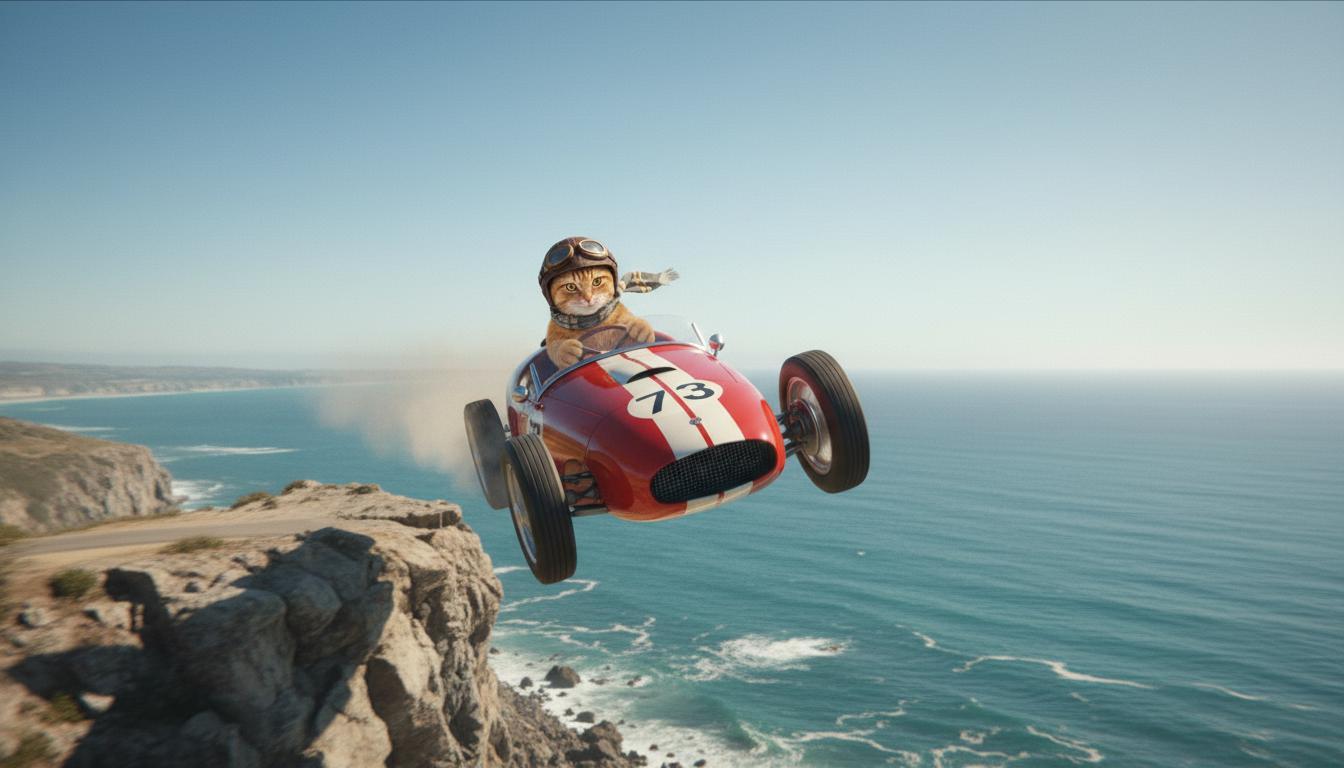
|
| Videoja e daljes (gjeneruar nga Veo 3.1) Opsionale |
|
Kjo veçori të jep kontroll të saktë mbi kompozimin e regjistrimit duke të lejuar të përcaktosh kuadrin e fillimit dhe të përfundimit. Ngarko një imazh ose përdor një kuadër nga një gjenerim i mëparshëm videoje për t'u siguruar që skena jote fillon dhe përfundon pikërisht siç e parashikon.
Kërkesa për shtesë
Për të zgjatur videon tënde të gjeneruar nga Veo me Veo 3.1 (nuk ofrohet për Veo 3.1 Lite), përdor videon si hyrje së bashku me një kërkesë opsionale me tekst. "Zgjidh" përfundon sekondën e fundit ose 24 kuadrot e fundit të videos dhe vazhdon veprimin.
Ki parasysh se zëri nuk mund të zgjatet në mënyrë efektive nëse nuk është i pranishëm në 1 sekondën e fundit të videos.
| Kërkesa | Dalja e gjeneruar |
|---|---|
| Videoja hyrëse (gjeneruar nga Veo 3.1) Një paraglajder ngrihet nga maja e malit dhe fillon të rrëshqasë poshtë maleve me pamje nga luginat e mbuluara me lule poshtë. |
|
| Videoja e daljes (gjeneruar nga Veo 3.1) Zgjeroje këtë video me paragliderin që zbret ngadalë. |
|
Shembuj të kërkesave dhe daljes
Ky seksion paraqet disa kërkesa, duke theksuar se si detajet përshkruese mund të përmirësojnë rezultatin e çdo videoje.
Kallama akulli
Kjo video demonstron se si mund të përdorësh elementet e bazave të shkrimit të kërkesave në kërkesën tënde.
| Kërkesa | Dalja e gjeneruar |
|---|---|
| Pamje nga afër (përbërja) e akujve që shkrijnë (subjekti) në një mur shkëmbor të ngrirë (konteksti) me tone të ftohta blu (atmosfera), me zmadhim (lëvizja e kamerës) duke ruajtur detajet nga afër të pikave të ujit (veprimi). |
|
Burrë në telefon
Këto video demonstrojnë se si mund ta rishikosh kërkesën tënde me detaje gjithnjë e më specifike për të bërë që Veo të rafinosh daljen sipas dëshirës sate.
| Kërkesa | Dalja e gjeneruar |
|---|---|
| Më pak detaje Kamera lëviz për të shfaqur një pamje nga afër të një burri të dëshpëruar me një pallto të gjelbër. Ai po bën një telefonatë në një telefon muri me stil disku rrotullues me një dritë neoni jeshile. Duket si një skenë filmi. |
|
| Më shumë detaje Një pamje kinematografike nga afër ndjek një burrë të dëshpëruar me një pallto të gjatë të gjelbër të vjetëruar ndërsa ai telefonon me një telefon me rrotë të montuar në një mur me tulla të ashpra, të larë në shkëlqimin e frikshëm të një tabele neoni të gjelbër. Kamera afrohet, duke zbuluar tensionin në nofullën e tij dhe dëshpërimin e gdhendur në fytyrën e tij ndërsa përpiqet të telefonojë. Thellësia e ulët e fushës fokusohet te vetullat e tij të ngrysura dhe telefoni i zi me rrotë, duke turbulluar sfondin në një det ngjyrash neoni dhe hije të paqarta, duke krijuar një ndjesi urgjence dhe izolimi. |
|
Leopard dëbore
| Kërkesa | Dalja e gjeneruar |
|---|---|
| Kërkesë e thjeshtë: Një krijesë e lezetshme me gëzof si të leopardit të dëborës po ecën në një pyll dimëror, paraqitje në stil vizatimi 3D. |
|
| Kërkesë e detajuar: Krijo një skenë të shkurtër të animuar në 3D në stilin e vizatimit të gëzueshëm. Një krijesë e lezetshme me gëzof si të leopardit të borës, sy të mëdhenj shprehës dhe një formë të rrumbullakët miqësore që lëviz me kënaqësi nëpër një pyll të çuditshëm dimëror. Skena duhet të paraqesë pemë të rrumbullakëta të mbuluara me borë, flokë bore që bien lehtë dhe rreze të ngrohta dielli që filtrohen përmes degëve. Lëvizjet e kërcimit dhe buzëqeshja e gjerë e krijesës duhet të shprehin kënaqësi të pastër. Syno një ton optimist dhe prekës me ngjyra të ndezura dhe të gëzueshme dhe animacion gazmor. |

|
Shembuj sipas elementeve të të shkruarit
Këta shembuj të tregojnë se si t'i rafinosh kërkesat e tua sipas çdo elementi bazë.
Subjekti dhe konteksti
Specifiko fokusin kryesor (subjektin) dhe sfondin ose mjedisin (kontekstin).
| Kërkesa | Dalja e gjeneruar |
|---|---|
| Një paraqitje arkitekturore e një ndërtese apartamentesh me beton të bardhë me forma organike të rrjedhshme, të kombinuara pa ndërprerje me gjelbërim të harlisur dhe elemente futuriste |
|
| Një satelit që noton nëpër hapësirën e jashtme me hënën dhe disa yje në sfond. |
|
Veprimi
Specifiko se çfarë po bën subjekti (p.sh. ecën, vrapon ose kthen kokën).
| Kërkesa | Dalja e gjeneruar |
|---|---|
| Një plan i gjerë i një gruaje që ecën përgjatë plazhit, duke dukur e kënaqur dhe e relaksuar drejt horizontit në perëndim të diellit. |
|
Stili
Shto fjalë kyçe për të drejtuar gjenerimin drejt një estetike specifike (p.sh. sureale, e vjetër, futuriste, film noir).
| Kërkesa | Dalja e gjeneruar |
|---|---|
| Stili i filmit noir, një burrë dhe një grua ecin në rrugë, mister, kinematografik, bardhezi. |
|
Lëvizja dhe kompozimi i kamerës
Specifiko se si lëviz kamera (pamje POV, pamje ajrore, pamje me dron ndjekës) dhe si është inkuadruar pamja (pamje e gjerë, nga afër, me kënd të ulët).
| Kërkesa | Dalja e gjeneruar |
|---|---|
| Një regjistrim nga këndvështrimi i një makine të vjetër që ecën në shi, Kanada gjatë natës, kinematografik. |
|
| Pamje shumë nga afër e një syri me qytetin të pasqyruar në të. |
|
Atmosfera
Paletat e ngjyrave dhe ndriçimi ndikojnë te atmosfera. Provo terma si "portokalli i zbehtë tone të ngrohta", "dritë natyrale", "agim" ose "tone të ftohta blu".
| Kërkesa | Dalja e gjeneruar |
|---|---|
| Një fotografi nga afër e një vajze që mban një qenush të adhurueshëm të racës gjahu skocez në park, dritë dielli. |
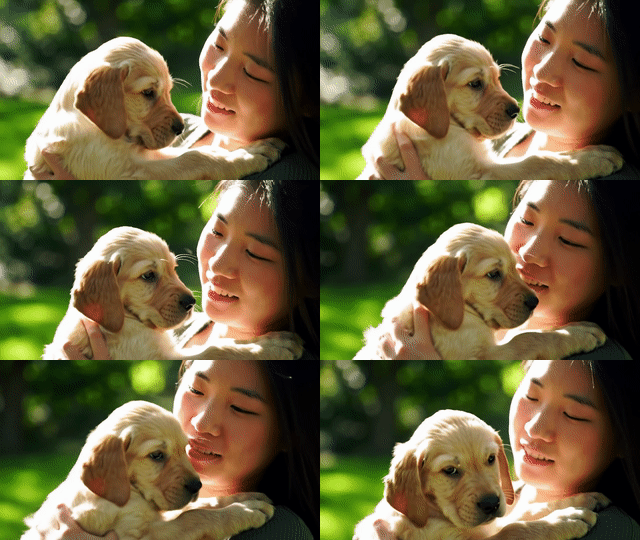
|
| Pamje kinematografike nga afër e një gruaje të trishtuar që udhëton me autobus në shi, tone të ftohta blu, gjendje e trishtuar. |

|
Raportet e pamjes
Veo të lejon të specifikosh raportin e pamjes për videon tënde.
| Kërkesa | Dalja e gjeneruar |
|---|---|
| Ekran i gjerë (16:9) Krijo një video me pamje nga droni ndjekës të një burri që drejton një makinë të kuqe kabriolet në Palm Springs, vitet 1970, dritë dielli e ngrohtë, hije të gjata. |
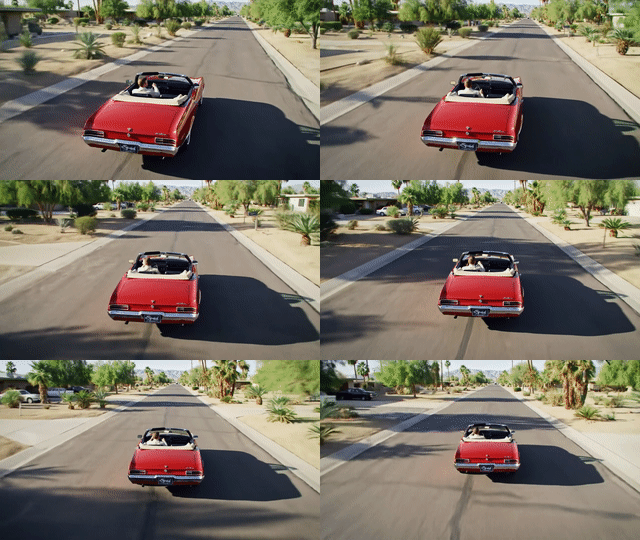
|
| Portret (9:16) Krijo një video që thekson lëvizjen e qetë të një ujëvare madhështore në Havai brenda një pylli të dendur shiu. Fokuso te rrjedha realiste e ujit, gjethet e detajuara dhe ndriçimi natyral për të transmetuar qetësi. Regjistro ujin që rrjedh me shpejtësi, atmosferën e mjegullt dhe rrezet e diellit që filtrohen përmes kurorës së dendur të pemëve. Përdor lëvizje të qeta dhe kinematografike të kamerës për të shfaqur ujëvarën dhe ambientin rrethues. Syno një ton të qetë dhe realist, duke e transportuar shikuesin në bukurinë e qetë të pyllit tropikal të shiut në Havai. |
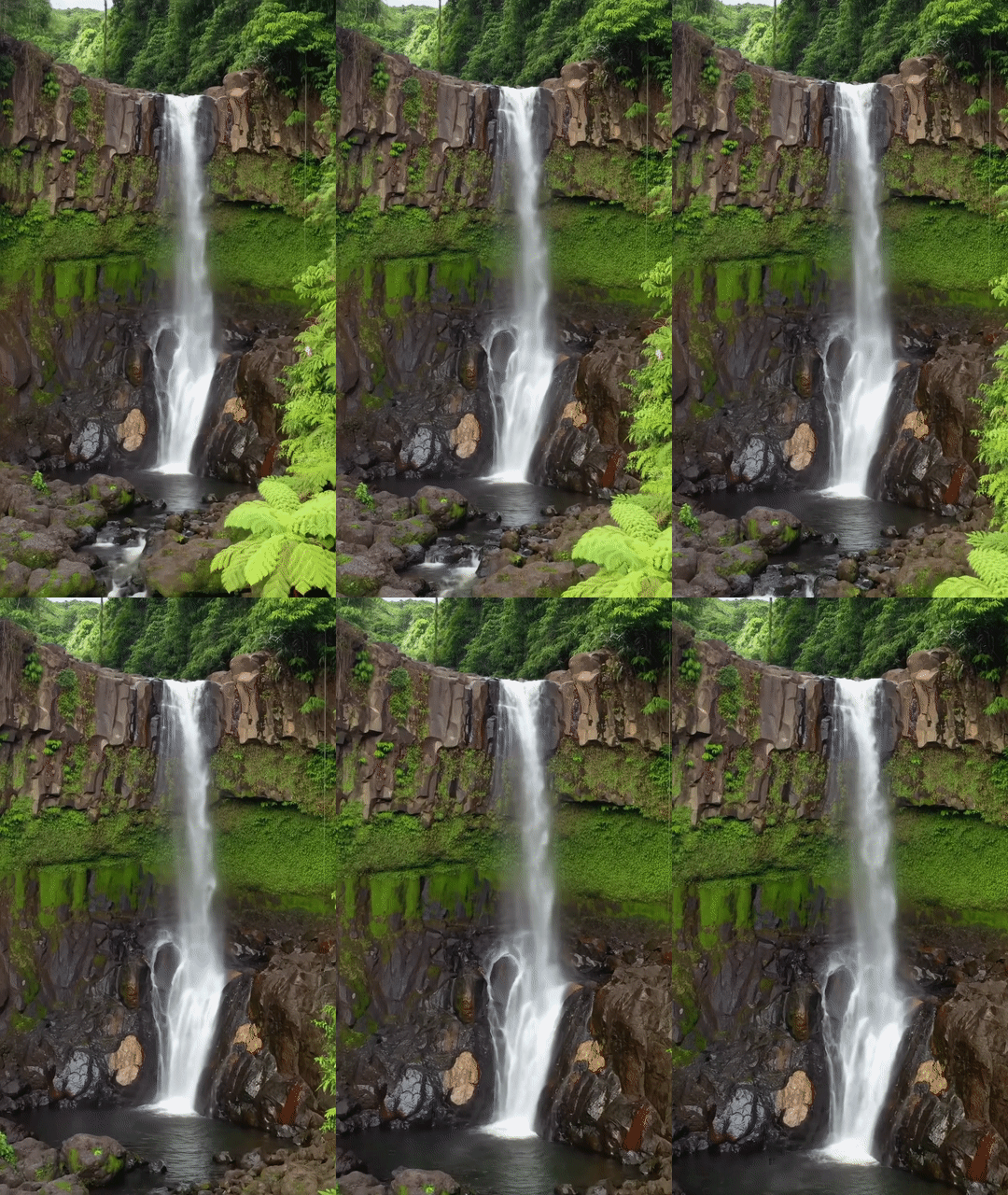
|
Versionet e modelit
Shiko faqen Çmimet dhe Kufijtë e normës për më shumë detaje specifike për përdorimin e modelit Veo.
Veo 3.1 Preview
| Prona | Përshkrimi |
|---|---|
| Kodi i modelit |
Gemini API
|
| Llojet e të dhënave të mbështetura për |
Hyrja Tekst, imazh Rezultati Video me audio |
| Kufijtë |
Hyrja e tekstit 1024 tokenë Videoja e daljes 1 |
| Përditësimi i fundit | Janar 2026 |
Veo 3.1 Fast Preview
| Prona | Përshkrimi |
|---|---|
| Kodi i modelit |
Gemini API
|
| Llojet e të dhënave të mbështetura për |
Hyrja Tekst, imazh Rezultati Video me audio |
| Kufijtë |
Hyrja e tekstit 1024 tokenë Videoja e daljes 1 |
| Përditësimi i fundit | Janar 2026 |
Veo 3.1 Lite Preview
| Prona | Përshkrimi |
|---|---|
| Kodi i modelit |
Gemini API
|
| Llojet e të dhënave të mbështetura për |
Hyrja Tekst, imazh Rezultati Video me audio |
| Kufijtë |
Hyrja e tekstit 1024 tokenë Videoja e daljes 1 |
| Përditësimi i fundit | Mars 2026 |
Veo 3 (e zhvlerësuar)
| Prona | Përshkrimi |
|---|---|
| Kodi i modelit |
Gemini API
|
| Llojet e të dhënave të mbështetura për |
Hyrja Tekst, imazh Rezultati Video me audio |
| Kufijtë |
Hyrja e tekstit 1024 tokenë Videoja e daljes 1 |
| Përditësimi i fundit | Korrik 2025 |
Veo 3 Fast (i zhvlerësuar)
| Prona | Përshkrimi |
|---|---|
| Kodi i modelit |
Gemini API
|
| Llojet e të dhënave të mbështetura për |
Hyrja Tekst, imazh Rezultati Video me audio |
| Kufijtë |
Hyrja e tekstit 1024 tokenë Videoja e daljes 1 |
| Përditësimi i fundit | Korrik 2025 |
Versionet e Veo Fast i lejojnë zhvilluesit të krijojnë video me tinguj ndërkohë që ruajnë cilësinë e lartë dhe optimizojnë për shpejtësinë dhe rastet e përdorimit për biznesin. Ato janë ideale për shërbimet e sistemit fundor që gjenerojnë në mënyrë programatike reklama, veglat për testimin e shpejtë A/B të koncepteve krijuese ose aplikacionet që duhet të prodhojnë me shpejtësi përmbajtje për mediat sociale.
Çfarë ka më pas
- Fillo me API-në e Veo 3.1 duke eksperimentuar në Veo Quickstart Colab dhe applet-in e Veo 3.1.
- Mëso se si të shkruash kërkesa edhe më të mira me Hyrjen tonë në hartimin e kërkesave.